OpenAPI
Drop an OpenAPI spec into your config and ciderpress generates a full API reference — overview page, per-operation pages, and sidebar entries.
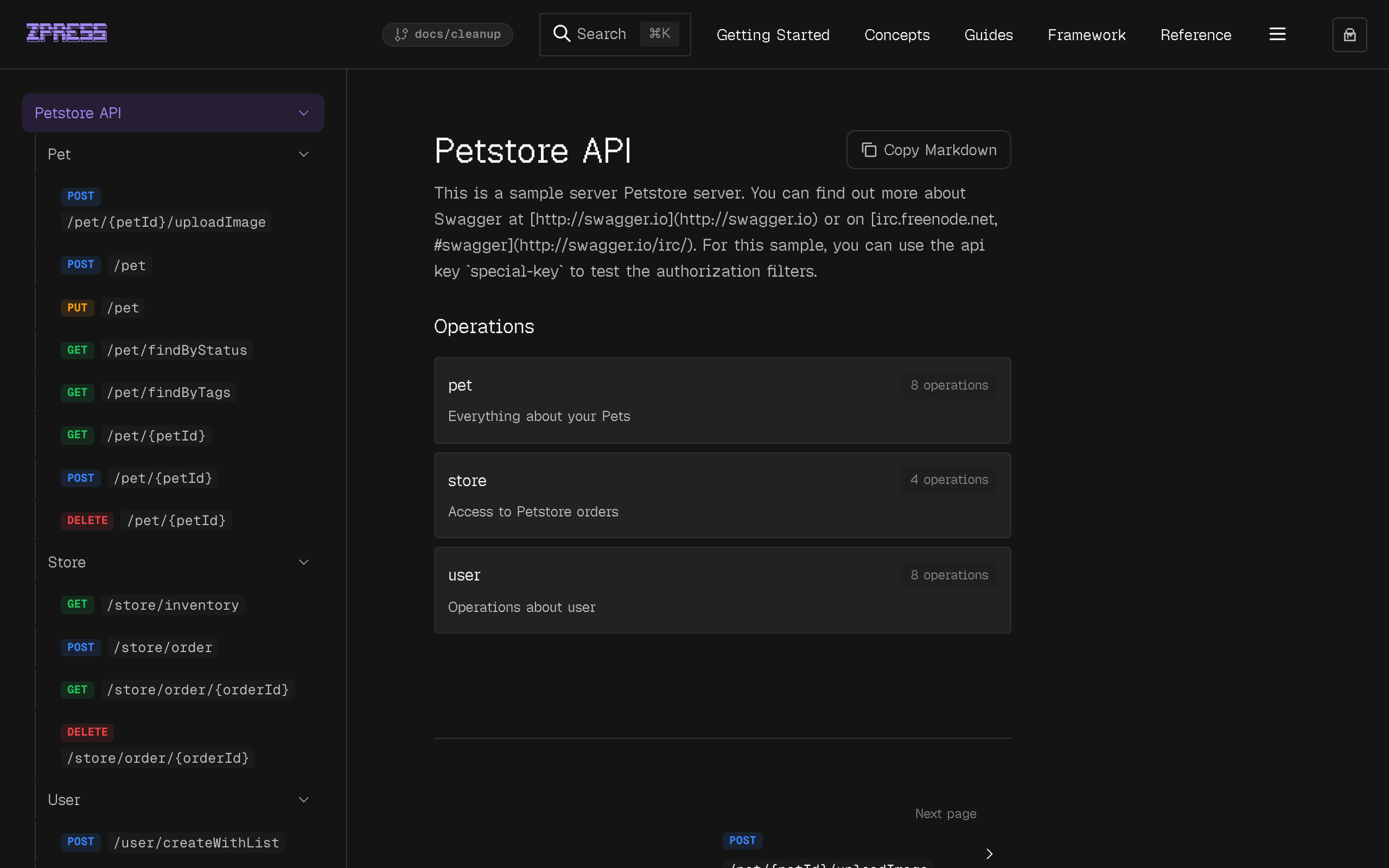
See the Petstore API Reference for a live example.
Configuration
Attach openapi to a Page (for top-level API docs) or to a Workspace (for per-package API docs). There is no top-level openapi field — the spec lives on the node it mounts under, so a config can describe more than one API at once without implicit cross-wiring.
When openapi is declared on a Workspace, the path must be nested under the workspace's own path — path: '/apps/api' plus openapi: { path: '/apps/api/reference' } works; openapi: { path: '/elsewhere' } fails validation.
What gets generated
During ciderpress sync, the spec is fully dereferenced (all $refs resolved) and three types of files are written:
Operations are extracted from paths, grouped by their first tag, and slugified from operationId. If no operationId exists, the slug is derived from the method and path.
Overview page
The overview page renders API title, version, description, server URLs, authentication schemes, and a summary of operations grouped by tag.
Operation page
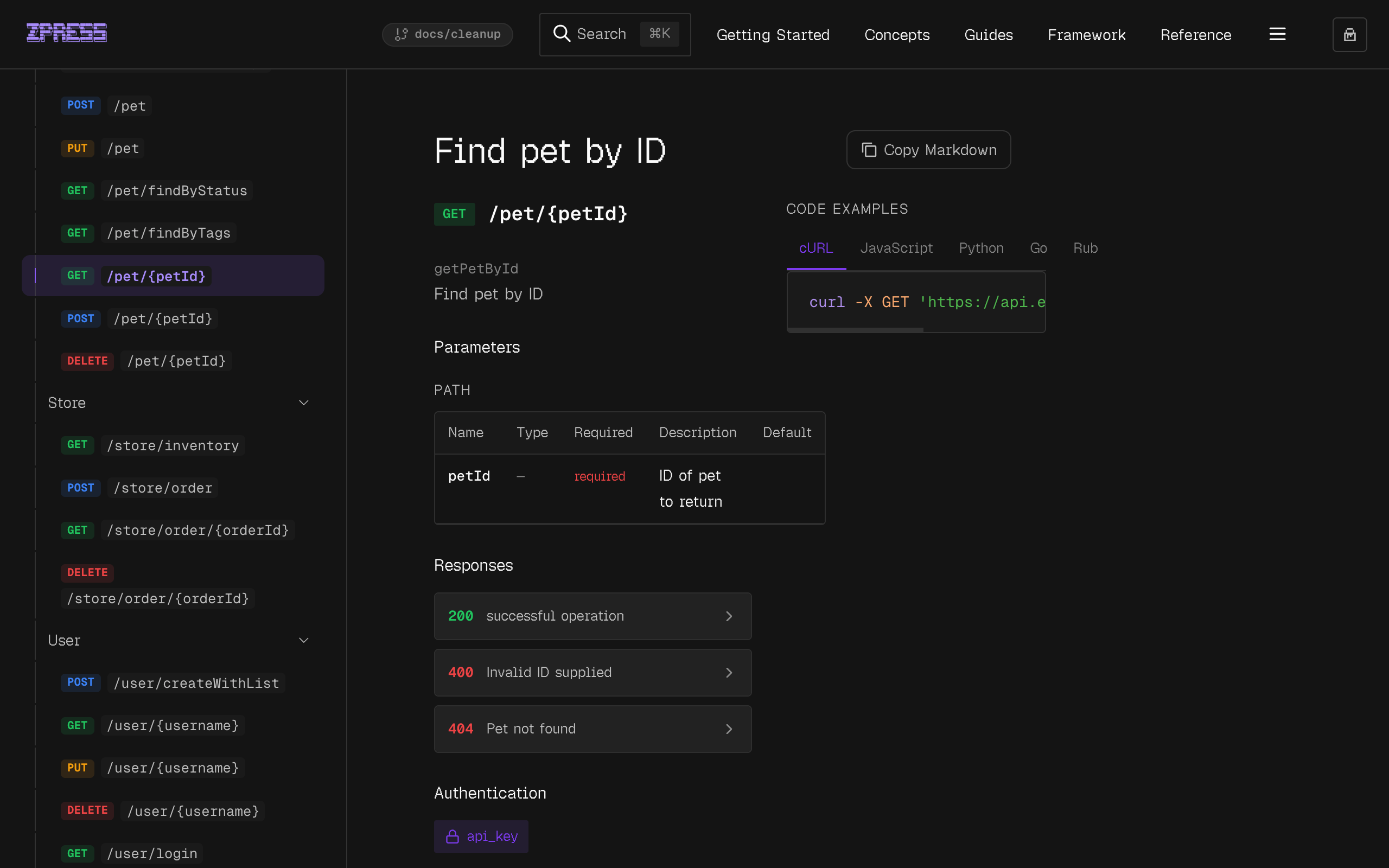
Each operation gets a two-column layout with spec details on the left (parameters, request body, responses, security) and auto-generated code examples on the right (cURL, JavaScript, Python, Go, Ruby, Java).
Sidebar layout modes
method-path (default)
Each sidebar entry shows a colored method badge and the path in monospace. Both screenshots above show this layout in the sidebar.
title
Each sidebar entry shows the operation's summary as plain text instead of the method and path.
Per-workspace OpenAPI
Attach an OpenAPI spec to any workspace for per-package API docs. The Workspace.openapi shape is identical to Page.openapi: