Themes
Overview
A theme in ciderpress is a brand identity with one or more variants. Each variant is a complete set of design tokens that target either the dark or light aesthetic. ciderpress ships with six built-in themes — Mulled, Honeycrisp, Granny Smith, Amber, Midnight, and Arcade — and dark is the framework's baseline.
The theme block in your config registers which themes the site exposes, controls switcher visibility, and lets you override individual color tokens across every registered theme from one place.
Built-in Themes
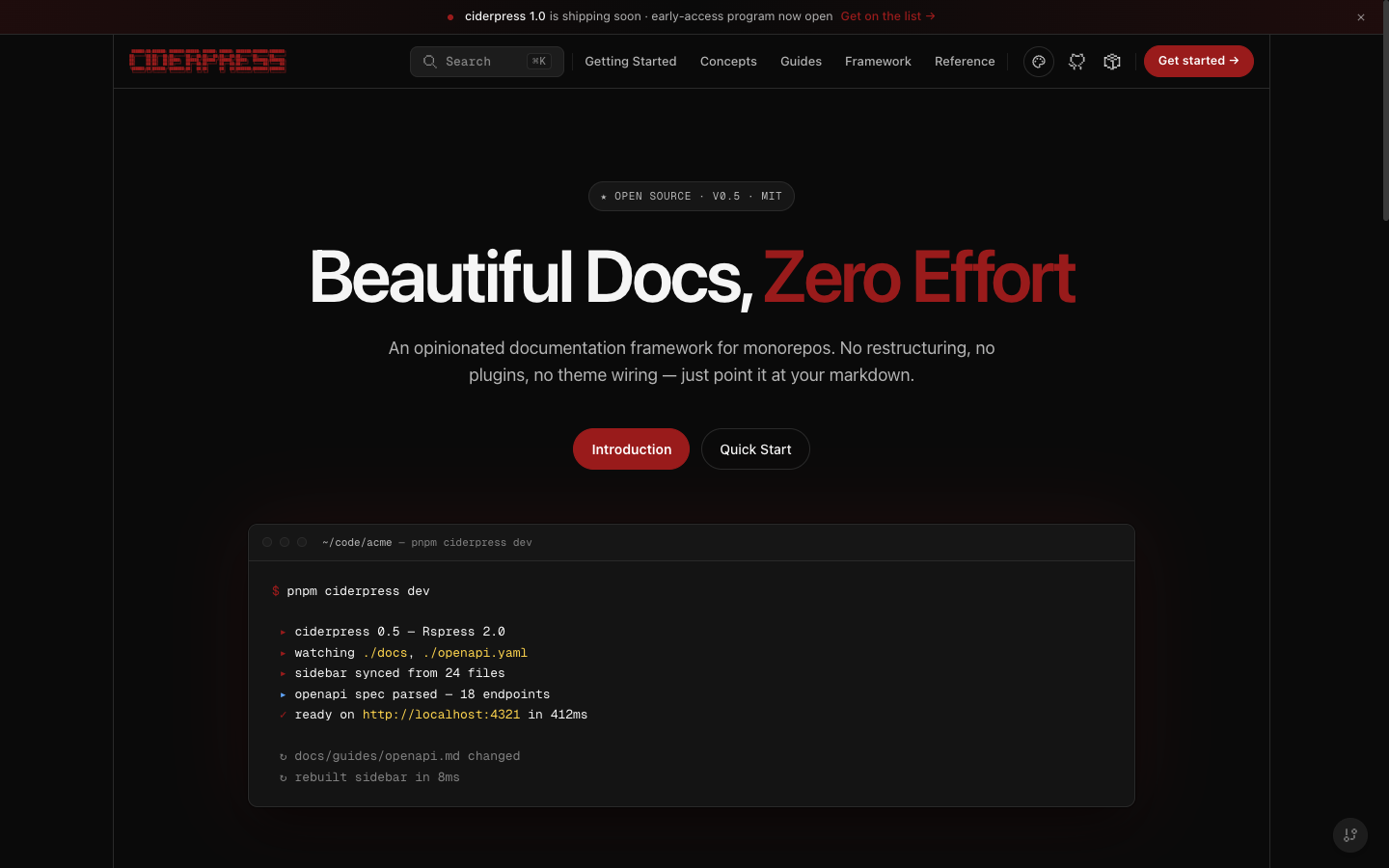
Mulled
The canonical brand. Deep cider burgundy — the "evening / premium" branch of the apple family. Primary #991b1b with both dark and light variants. The light variant pairs warm cream surfaces (#fbf6f4) with deep burgundy ink for a parchment read; the dark variant uses the same near-black canvas as the other apple themes. The legacy slug 'default' is preserved as an alias and resolves to 'mulled'.
Variants: dark (default) · light
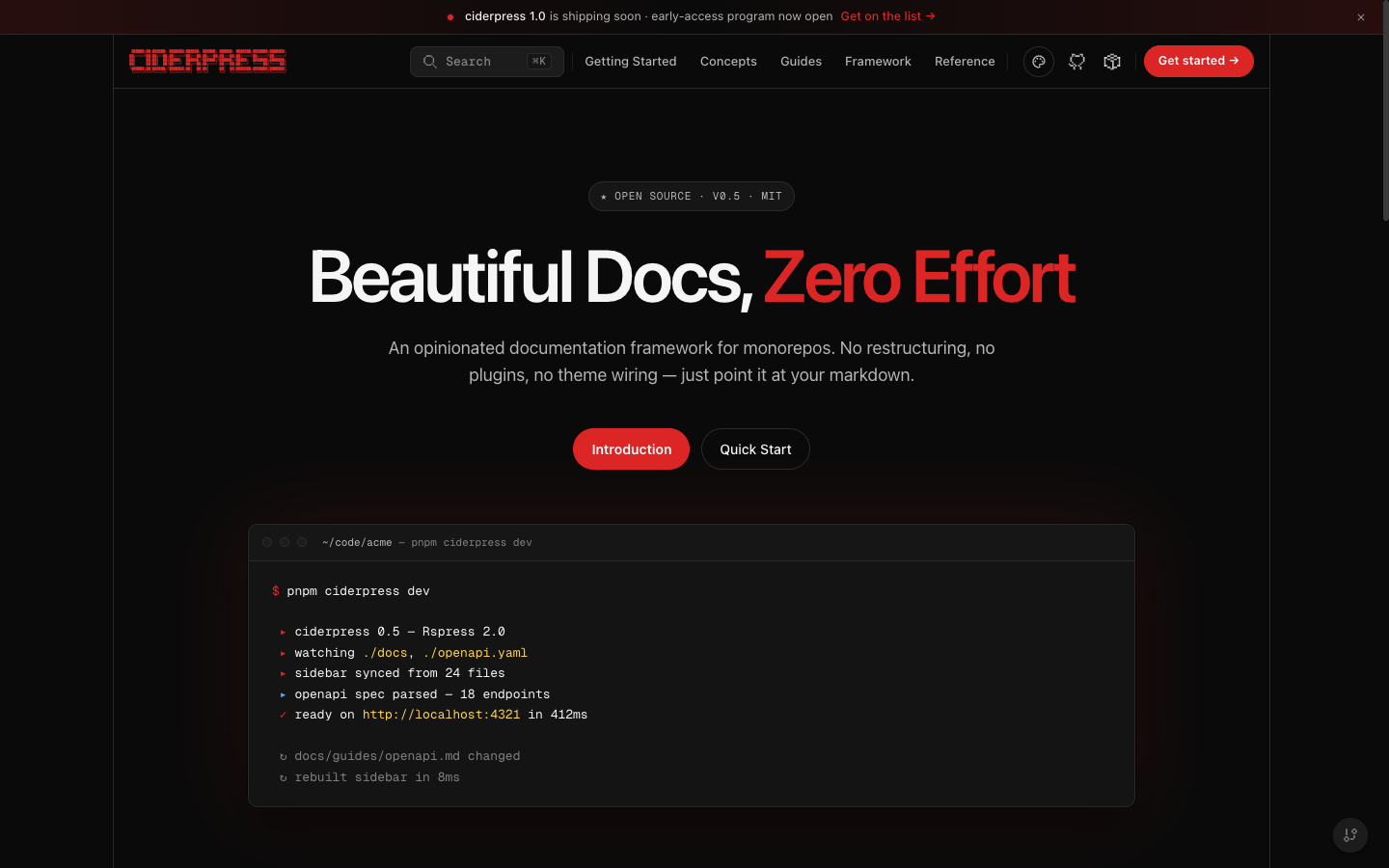
Honeycrisp
Bright apple-red identity (primary #dc2626) with both dark and light variants — the sun/moon toggle is enabled.
Variants: dark (default) · light
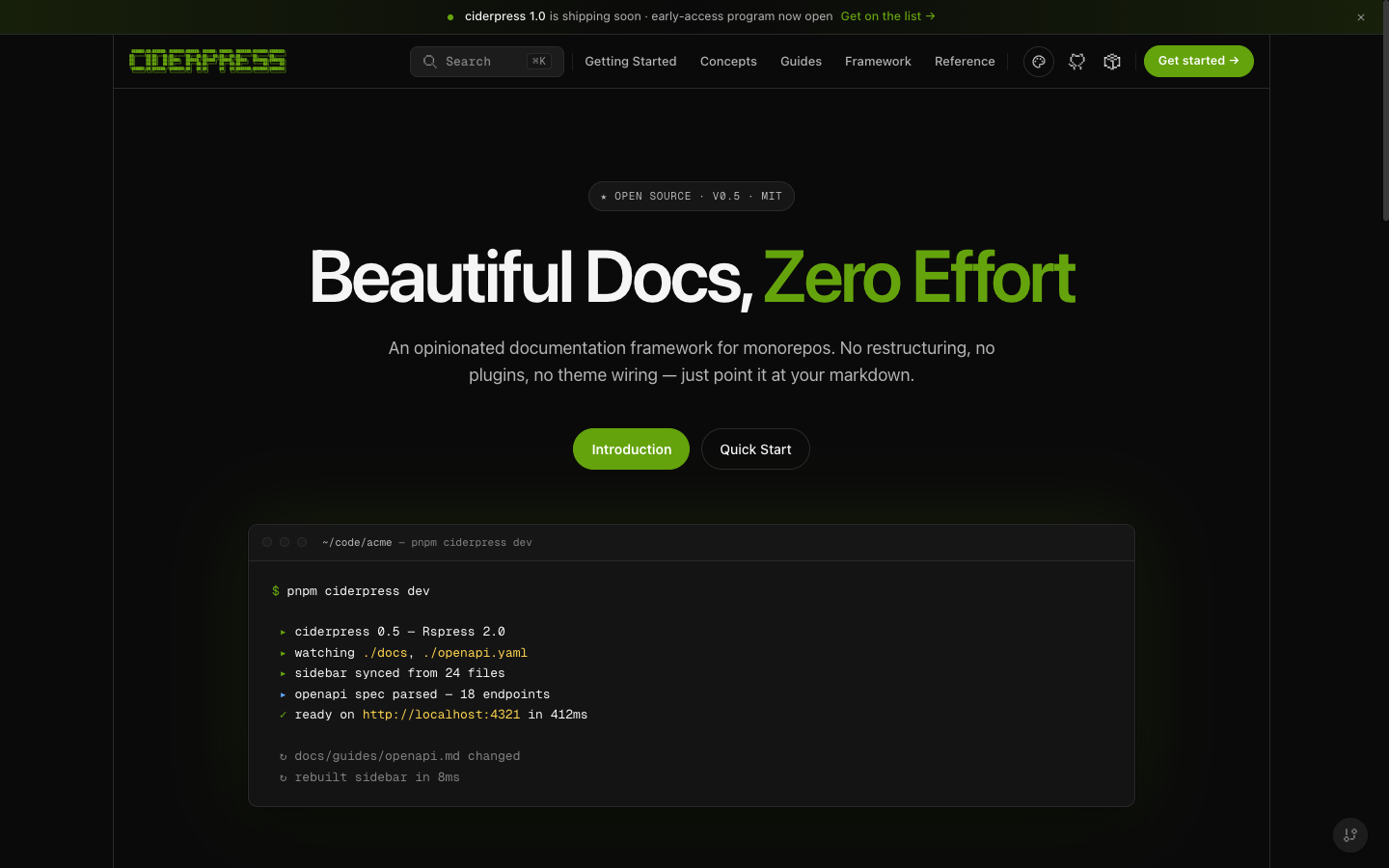
Granny Smith
Apple-green identity (primary #65a30d) with both dark and light variants — the sun/moon toggle is enabled.
Variants: dark (default) · light
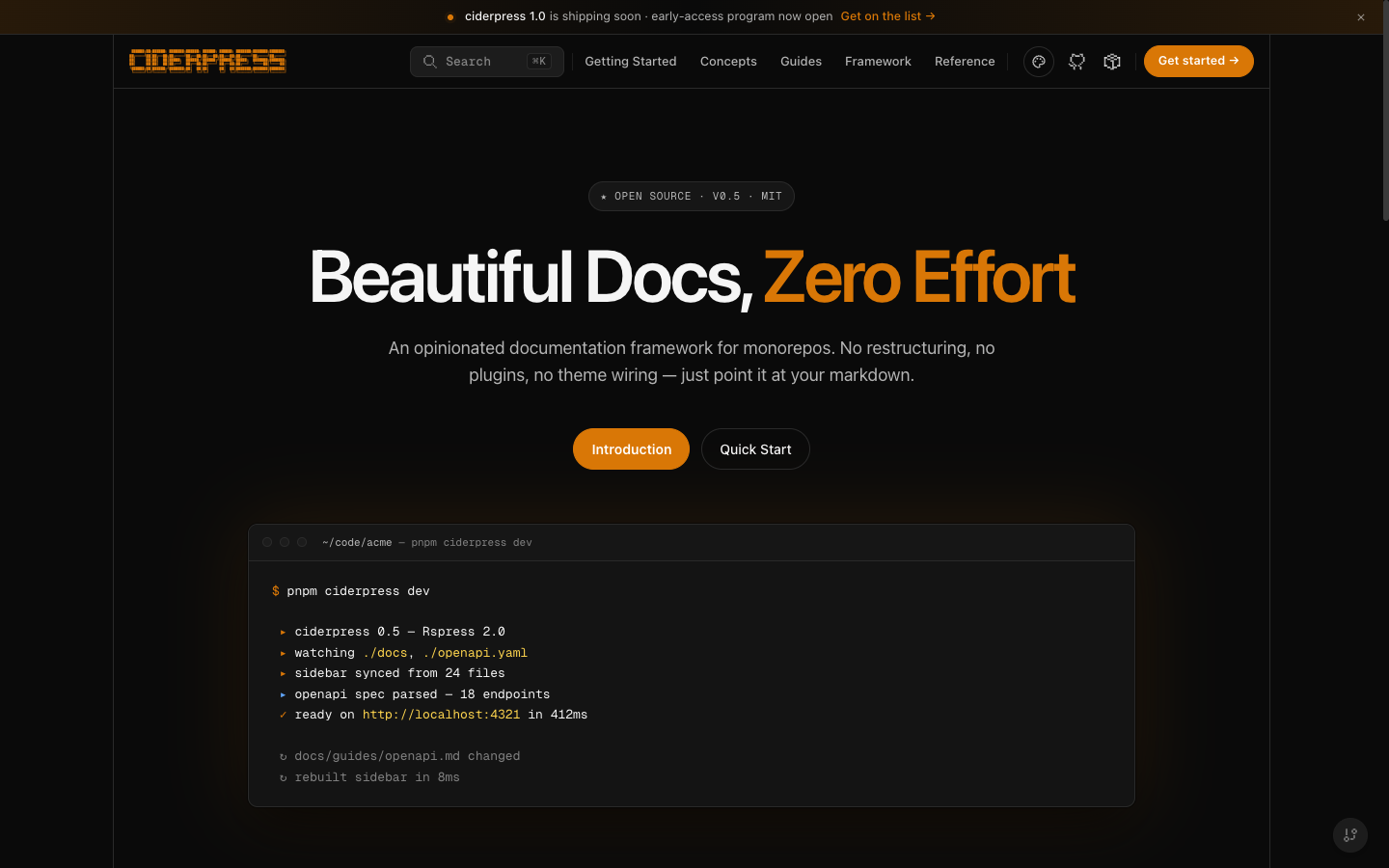
Amber
Warm hearth amber identity (primary #d97706) with both dark and light variants. The light variant pairs parchment surfaces (#fffaf2) with deep-roast brown ink; the dark variant shares the apple-family near-black canvas.
Variants: dark (default) · light
Midnight
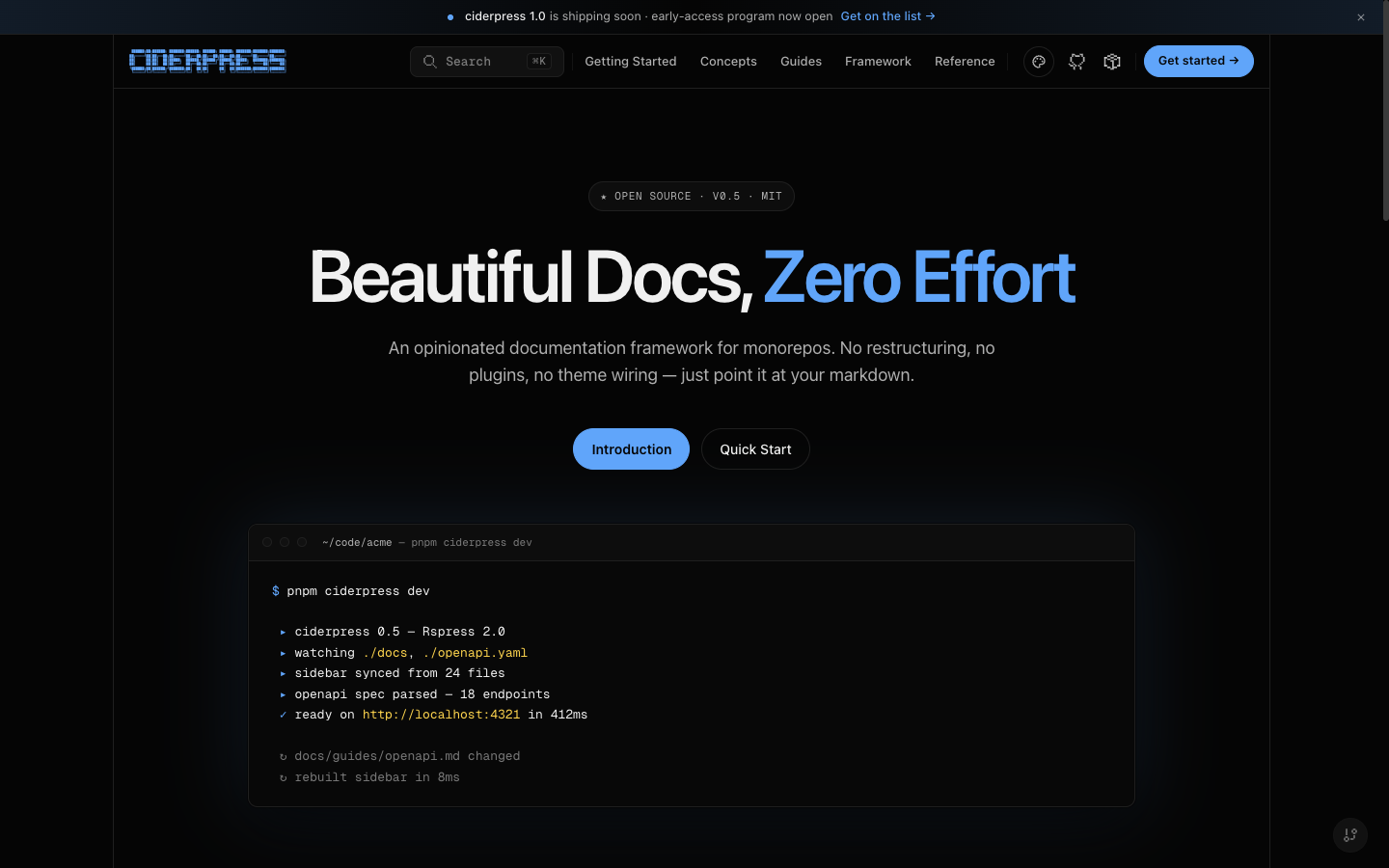
Opinionated deep-black blue theme. Background sits at #050505 for a near-pure-black surface. Single-variant (dark only) — the sun/moon toggle is hidden when this theme is active.
Variants: dark
Arcade
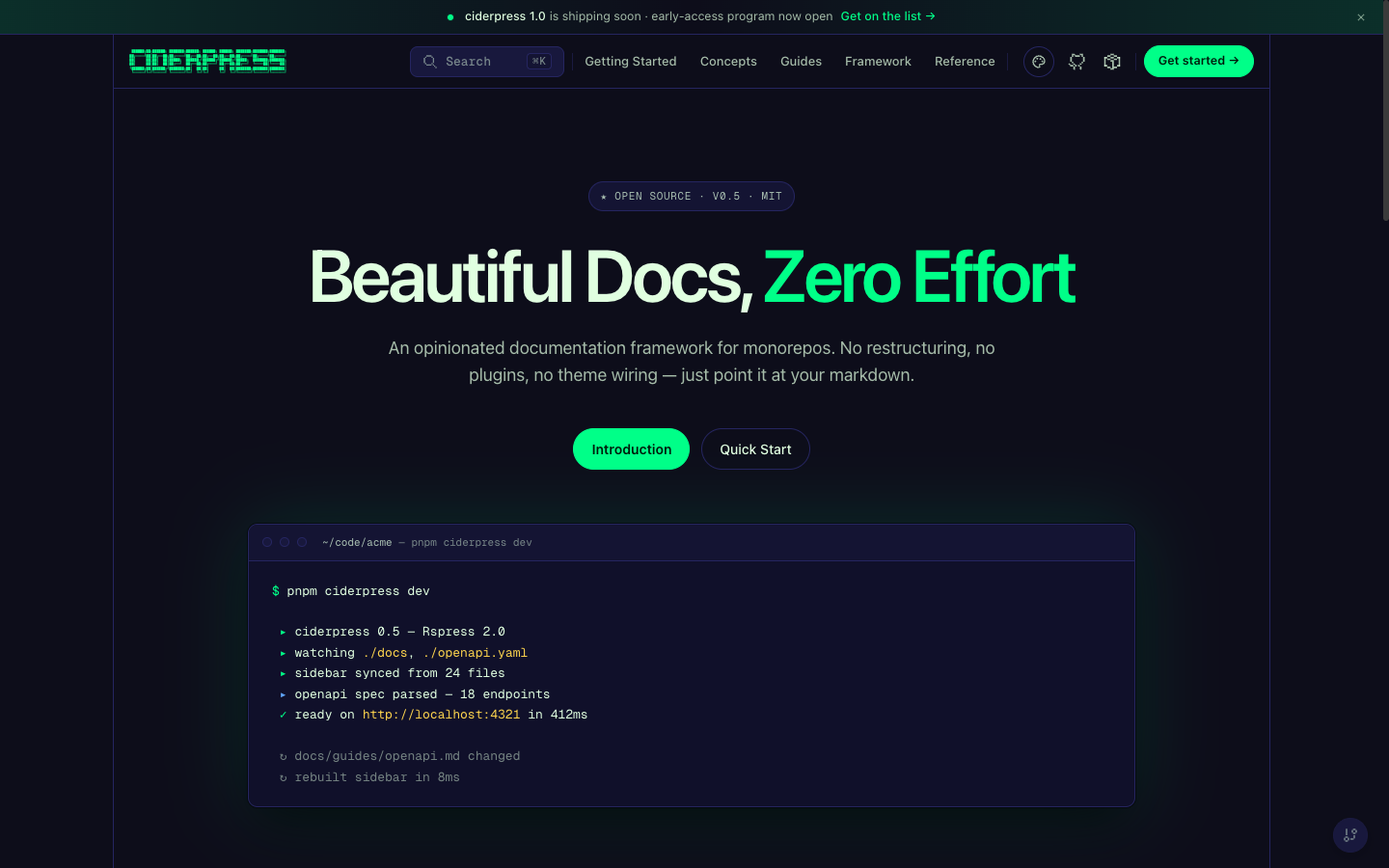
Retro neon-green theme inspired by arcade cabinets and CRT monitors. Single-variant (dark only). Includes custom hover animations: border tracing on cards, CRT scanlines on code blocks, neon pulse on buttons, glow effects on sidebar items.
Variants: dark
Configuration
The theme block in ciderpress.config.ts registers every theme the site can render and controls the switchers and cross-theme overrides:
Fields
Theme entries
Each entry in themes is one of four forms:
- Built-in name —
'mulled','honeycrisp','grannysmith','amber','midnight', or'arcade'. - Built-in reference object —
{ name: 'mulled', default: true }(lets you mark a non-first entry as the default). - Custom
defineTheme(...)envelope —{ name, variants, defaultVariant? }produced bydefineTheme. - Custom envelope with default marker — any custom envelope plus
default: true.
The first entry is treated as the site's default theme unless another entry carries default: true.
Forcing a starting variant
Each theme picks its own initial variant when there's no persisted preference. defaultVariant overrides this at the site level:
'system' honors the user's OS-level light/dark preference. The user's last variant choice persists in localStorage and overrides this default on subsequent visits.
Hiding the switchers
Set either switcher to false to suppress it from the UI:
variantSwitcher is automatically hidden when the active theme has only one variant (midnight, arcade) — CSS keys off data-cp-variants on <html>. themeSwitcher auto-hides when themes has a single entry.
Color Overrides
Override individual color tokens across every registered theme without creating a new custom theme. Overrides apply as inline CSS custom properties and take precedence over each theme's variant defaults.
Use overrides for cross-theme brand consistency — e.g. forcing the same brand red on every theme so the site identity stays recognizable when users switch themes. For per-variant adjustments, prefer a custom theme instead.
Available color tokens
Values must be valid CSS hex (#xxx or #xxxxxx) or rgba() values. The schema rejects CSS terminators (;, {, }, </style>) to defend against injection in tenant-supplied themes.
Custom Themes
When the built-in themes plus overrides aren't enough, register a fully custom theme through defineTheme and pass it directly into themes:
The theme validates at config time and emits one html[data-cp-theme='{name}'][data-cp-variant='{variant}'] CSS block per variant.
Fonts
A theme declares three font slots under fonts.family. Every font on the page resolves back to one of them — there is no separate stylesheet to patch and no component-level override to write.
display is optional and falls back to sans, so a theme that declares only sans and mono still renders every surface in its own fonts.
sans is the base font, not necessarily a sans-serif face — the built-in themes point it at an Inter stack, and mono is where Geist Mono lives. Pick whatever face the body copy should use.
Compatibility variables
Each theme block also emits these aliases so older rules — and Rspress's own internals — follow the active theme:
These are emitted inside the theme's html[data-cp-theme][data-cp-variant] block rather than in a cascade layer. Rspress declares --rp-font-family-* on :root unlayered, and unlayered declarations outrank every @layer regardless of specificity — the theme block is the only place an override wins.
Sharing tokens between variants
Token tree shapes are identical across variants. To share spacing/radii/fonts/etc. between dark and light, use object spread:
defineTheme validates each variant against the full token schema, so omitting a leaf surfaces a clear ZodError at config time.
Constraints
Comparing Approaches
Design Decisions
- Themes are brand identities; variants are dark/light. This separation matches Chakra UI's
_dark/_lightand shadcn/ui's.darkselector — a theme is a brand, and dark/light is a property of the site. - Single
themesarray, single ordering rule. First entry is default unless one is marked. There is no separatenamefield selecting from a global registry — what's inthemesis what the site ships. - Separate switchers for theme vs. variant.
themeSwitcherandvariantSwitcheranswer different questions. Coupling them under one toggle made it impossible to ship a brand with only dark mode but still let the user pick between brand A and brand B. - Cross-theme
overrides. A site that ships three themes with a single shared brand red shouldn't have to re-declare it three times. One block, applied everywhere. - CSS custom properties. Overrides are injected as inline CSS variables — debuggable in browser devtools and compatible with any CSS-in-JS approach.
- Reduced motion support. The Arcade theme's animations respect
prefers-reduced-motion, disabling all continuous animations (border tracing, CRT scanlines, neon pulse, glow bar) automatically.
References
- Configuration reference —
theme— full field reference - Configuration reference —
ThemeEntry— the four entry forms defineThemeAPI — full input shape (seepackages/theme/src/index.ts)